 Add to Chrome — free
1. Add Míngbai
Install the extension for desktop Chrome.
On your phone? Share or copy this page, then open it in desktop Chrome when you’re ready to install.
Add to Chrome
Learn Chinese from the C-dramas, films, animation, variety shows and YouTube videos you love.
Míngbai is a Chrome extension that intelligently turns your Chinese media into lessons, using the actual lines to teach you.
We make subtitles easier to digest by breaking them into words, phrases and grammar, while intelligent personalisation means the same scene can teach a different lesson to every learner.
Share this page with your computer, or copy its link. Open it in desktop Chrome to install.
Works with




Míngbai isn’t affiliated with these services.
Click any word in a real scene.




Why are you lying through your teeth like this?
Line at 32:25
Why are you lying through your teeth like this?
(idiom) to lie through one's teeth; to talk drivel
Click any word, phrase or button: it all works
Before and after an episode: an intro, recap and a short lesson ↓
Dictionary extensions give you generic definitions, and wait for you to click. But the hard part of a line is often a phrase you didn’t realise was a phrase, so you never look it up.
I didn’t sleep well last night.
Other tools help you look up Chinese. Míngbai breaks up the line for you the way it’s said, and shows what’s worth learning.
A basic subtitle tool gives you ten separate characters. Míngbai’s Words view gives you five words. Intelligent Phrases view shows you how it's actually said.



“small · friend · friend · thousand · ten thousand · not · want · model · copy · oh”
Ten characters, ten dictionary glosses. 千 is “thousand”, 万 is “ten thousand”. You can look up every box and still not know what he said.
That’s intelligent phrase parsing: Míngbai groups each line into the phrases people actually say.
Five key moments.
Follow one word: 宝贝 (bǎo bèi, treasure)
Step 1 of 5: Listen 宝贝: to listen for
1 Listen
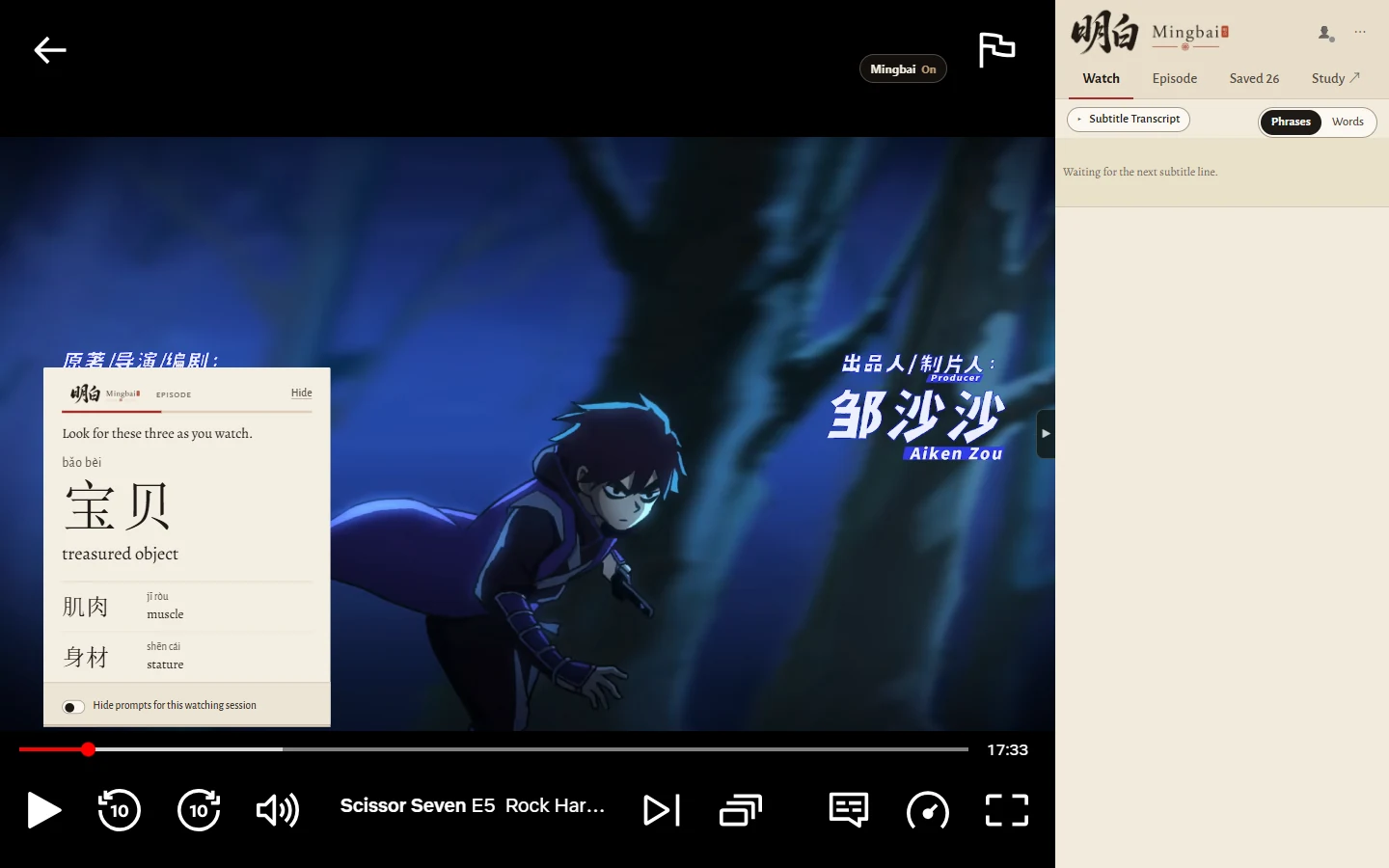
As an episode starts, Míngbai picks up to three words coming up in it based on your level, so you know what to listen out for. Here: 宝贝, 肌肉 and 身材.
2 Notice
As each line plays, the phrases and patterns worth knowing are already marked, like the warning in the demonstration above. No need to stop, but you can pause anytime to look closer.
See it on the line above ↑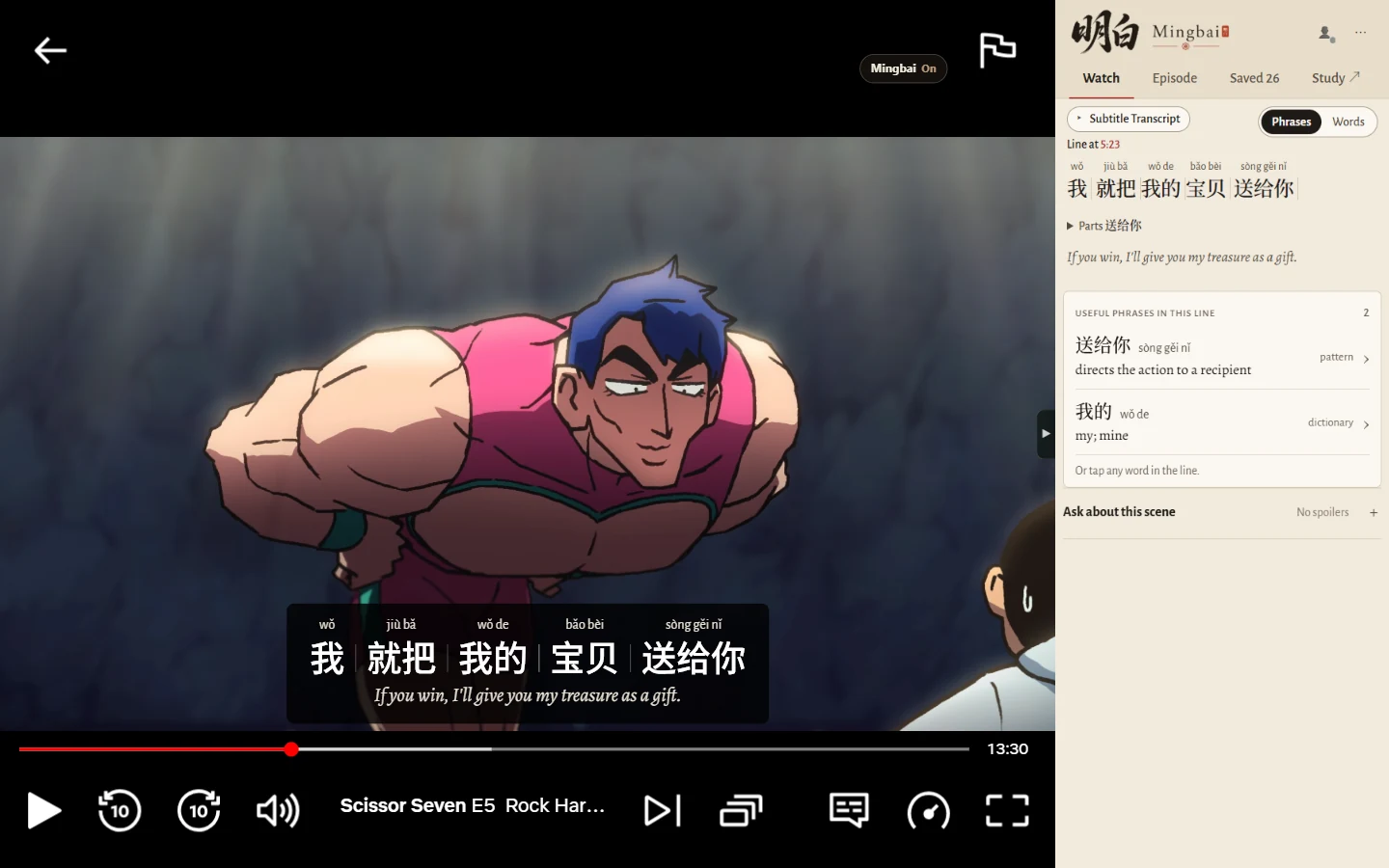
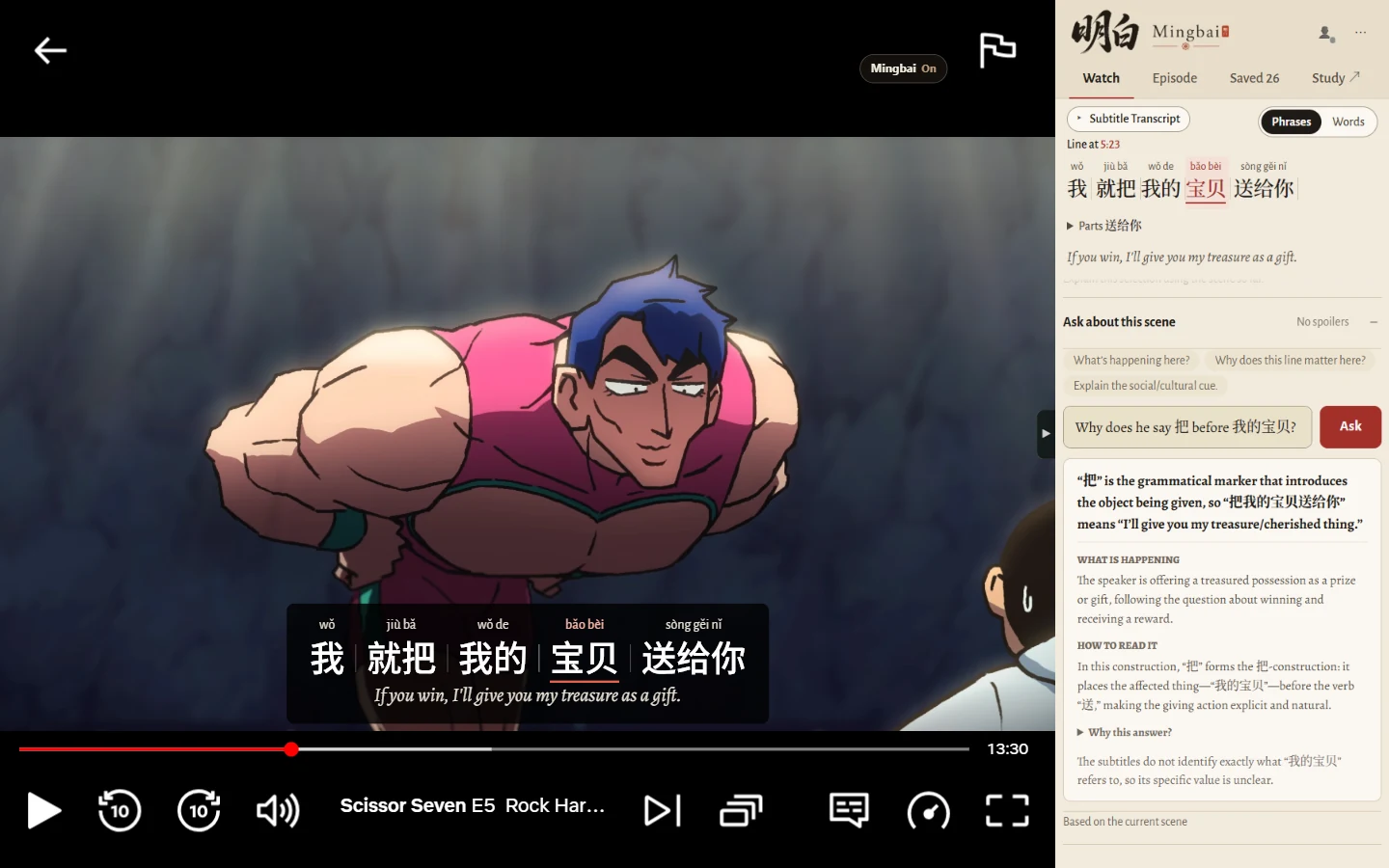
3 Ask
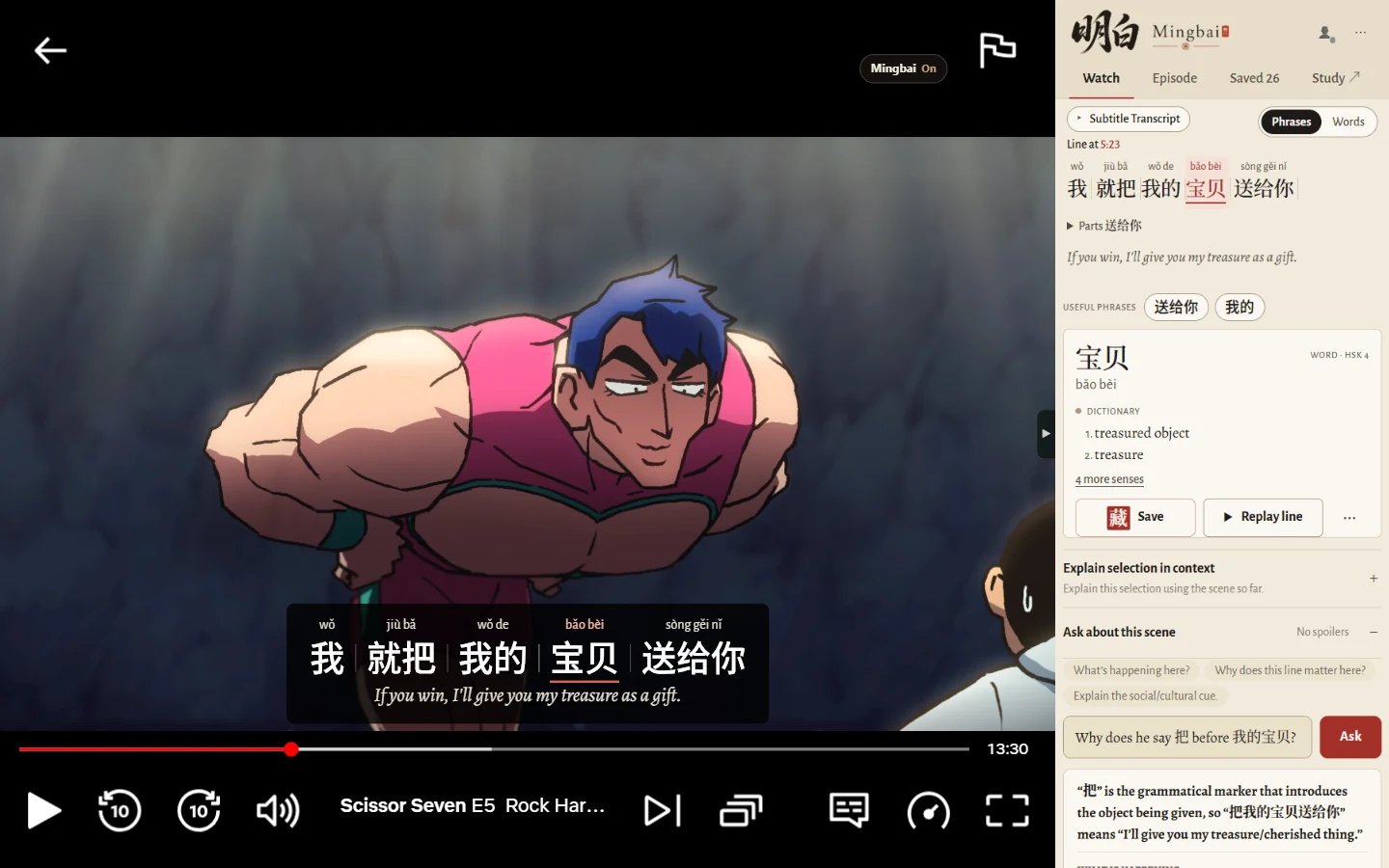
Click a phrase to see what it means, how it’s built and how it’s used. Hand-curated, rather than a dictionary dump. Save anything you want to remember for later. Still curious? A joke you didn't quite understand? Ask absolutely anything about the scene.
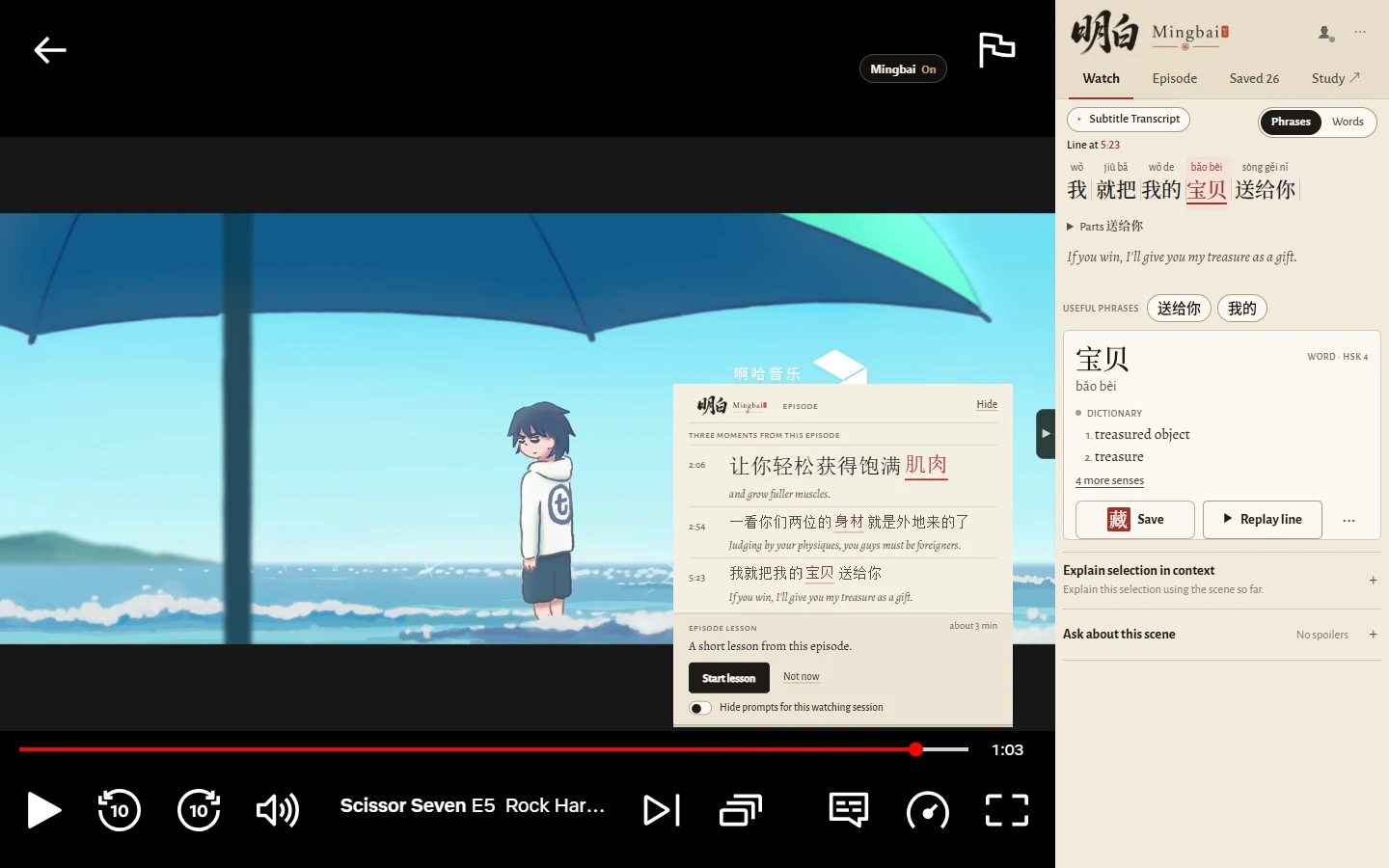
4 Recap & lesson
Remember the three personalised words from the start? When the episode ends, Míngbai shows you where they were used, in the show’s own lines. Then, if you like, a short lesson built from some of them or the episode’s grammar, adapted to your level.
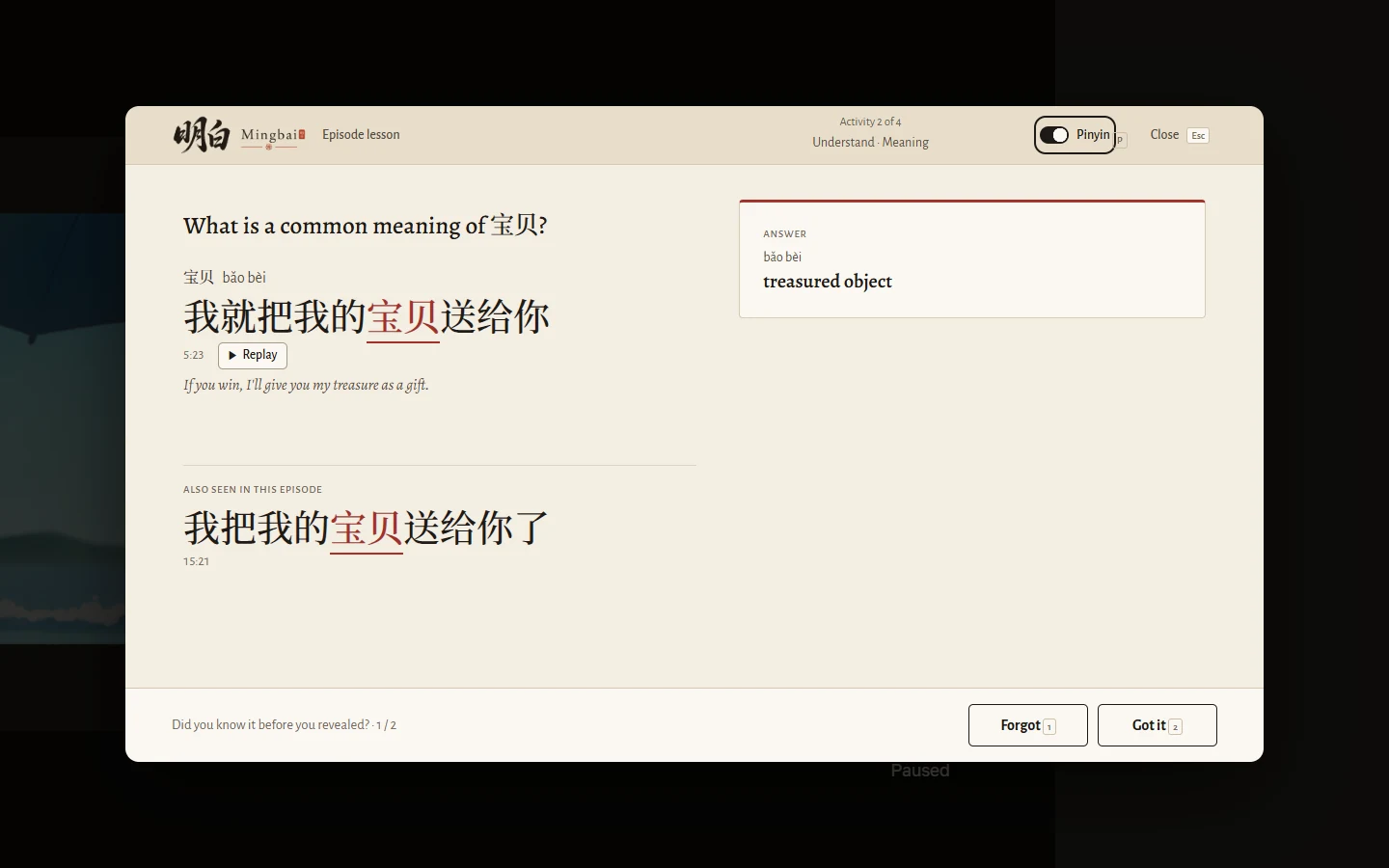
5 Review
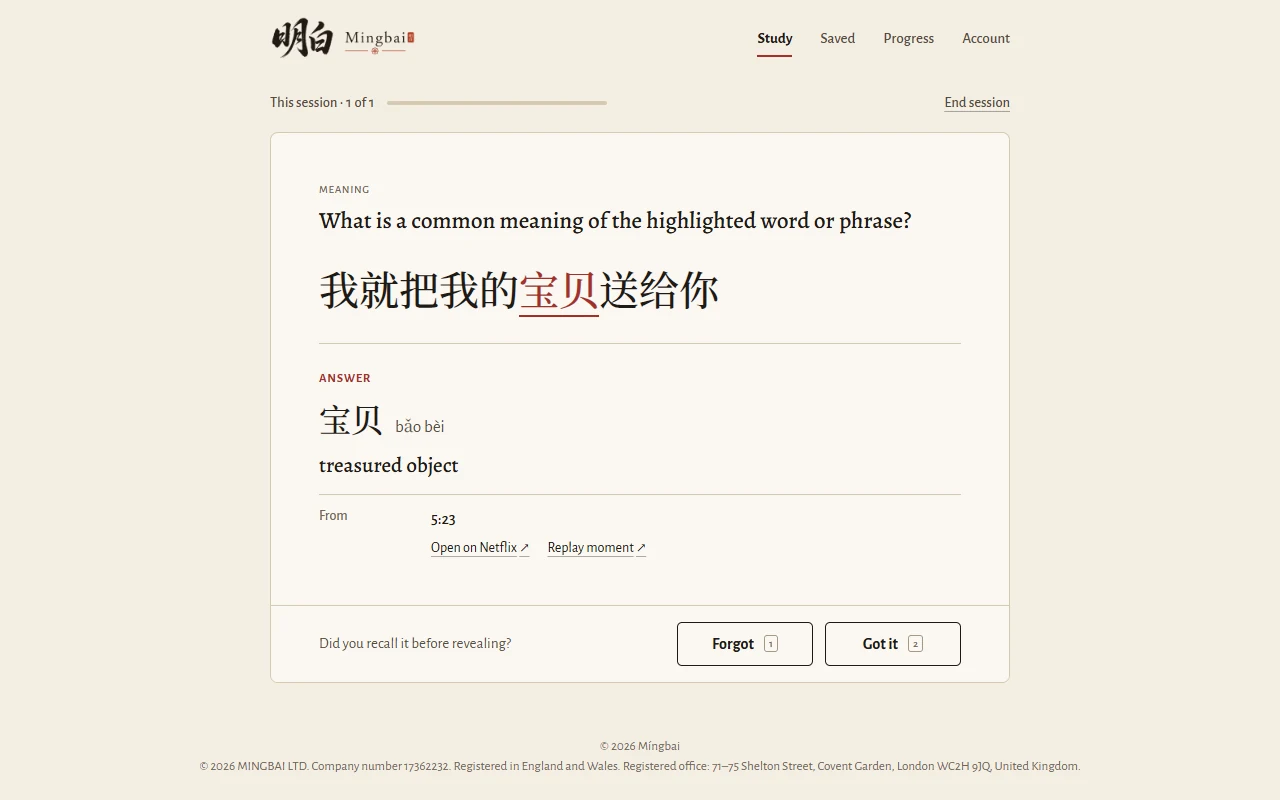
Every word you save, and every episode lesson becomes a flashcard. Find it in Study on the Míngbai website, with the line it came from and a link back to that moment in the episode. Study schedules reviews with FSRS, the open spaced-repetition method modern Anki uses, so words come back optimised just before you’d forget them.
Every episode feeds what Míngbai knows about your Chinese level, and that shapes what your next lesson focuses on.
Most subtitle extensions are dictionaries: they split a line into single characters and words and dump the whole dictionary at you. Míngbai reads the line intelligently, and keeps together the phrases people actually say. Our intelligence allows us to use the episode itself to teach you, adapted to your level.
Yes. Keep English subtitles on, watch as normal, and Míngbai marks a few phrases at your level. Just three words an episode over 10 episodes is 30 new words learnt! More
Yes. Choose “Heritage speaker” when you sign up. Pinyin stays on if you need it, and your lessons focus on grammar and reading, since you probably already know the spoken language well. You can show Simplified or Traditional characters. More
Desktop Chrome, and Chinese subtitles on the show. Míngbai works on Netflix, YouTube, iQIYI and Viki. Mobile apps coming soon. More
Yes, a free one. It turns on intelligent phrase parsing (Free includes 20 minutes a day) and keeps what you save, ready to review in Study. More
The core teaching comes from Míngbai’s own intelligent phrase parsing system, which is constantly improving. AI comes in only when you ask for it: Context Explanation explains a phrase in its line, and Scene Q&A answers your questions about the scene. AI answers can be wrong. More
Not yet. We’re starting with video, and plan to add more formats, so eventually Míngbai can teach you from everything Chinese you read and watch.
Desktop Chrome · Netflix, YouTube, iQIYI & Viki · Free to start · Try Pro free for 7 days, no card needed.
Install the extension for desktop Chrome.
On your phone? Share or copy this page, then open it in desktop Chrome when you’re ready to install.
Add to ChromeIt turns on intelligent phrase parsing (20 minutes a day on Free) and keeps what you save, ready to review in Study.
Create an account or sign in →Start free. Try Pro free for 7 days for the Episode recap and lesson, and unlimited AI help: explanations of any line and answers about the scene, whenever you ask (fair use applies). No card needed.
Compare Free and Pro →